3Blue1Brown Neural Networks course: all 10 videos, notes and order
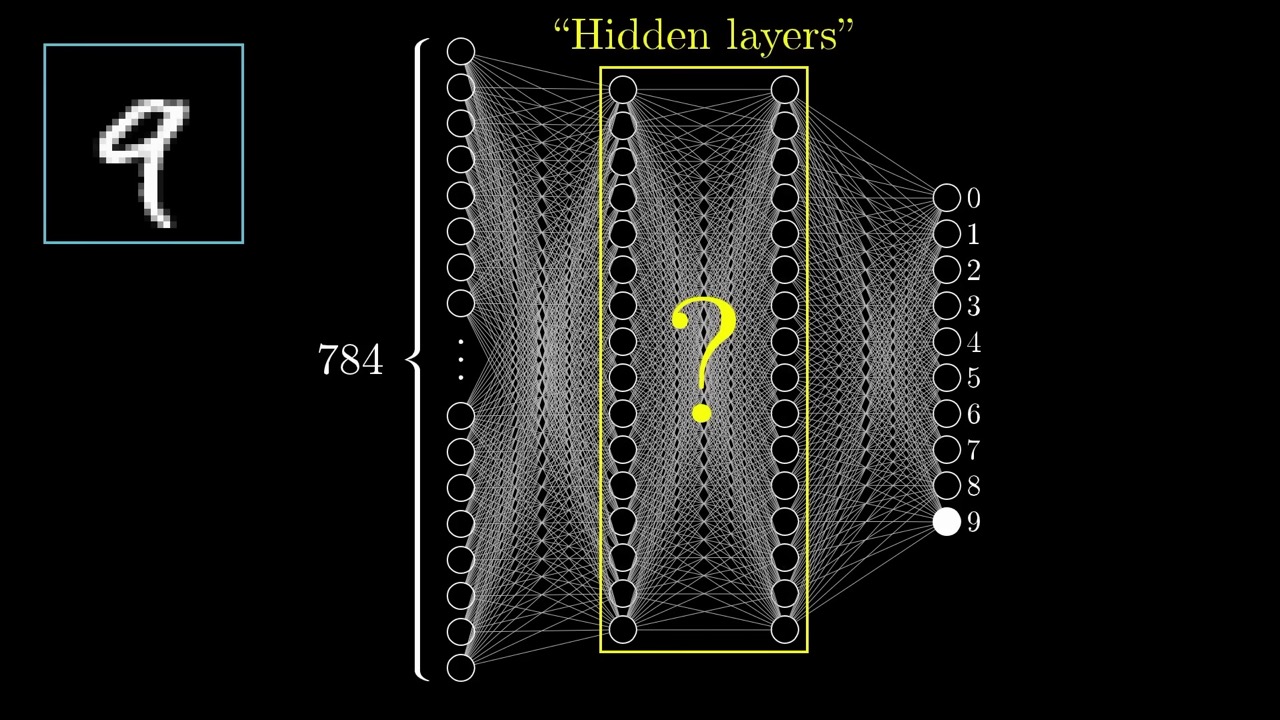
A neuron is a number between 0 and 1. The input layer has 784 of them, one per pixel; the output layer has 10, one per digit
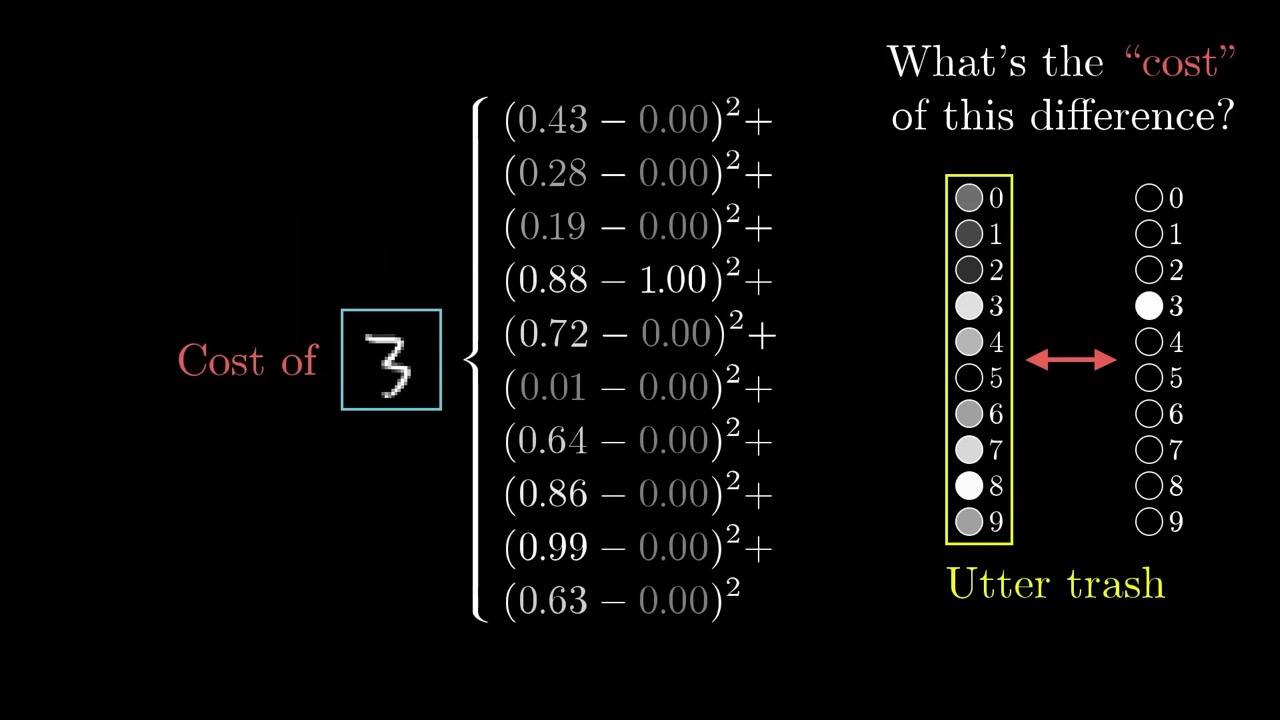
Learning = minimizing a cost function. The cost takes all weights and biases as input and returns one number for how badly the network does on the training data
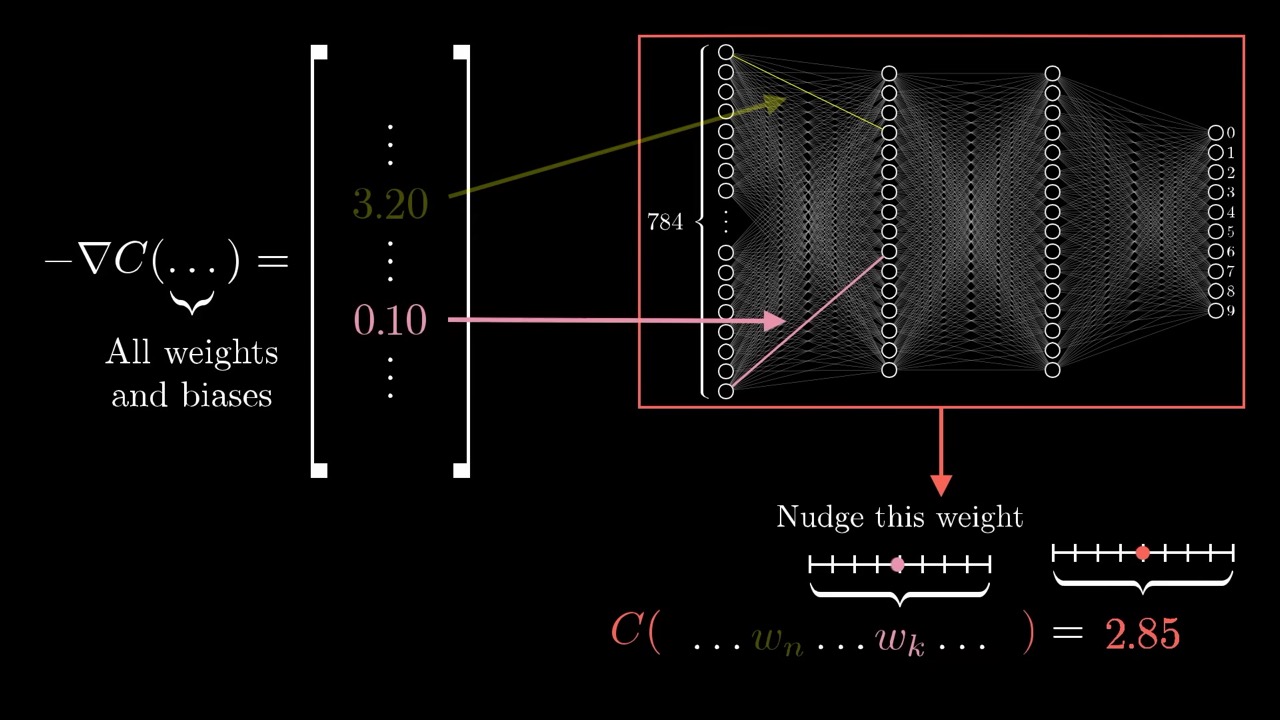
Read the gradient as sensitivities. An entry of 3.2 versus 0.1 means the cost is 32 times more sensitive to the first weight
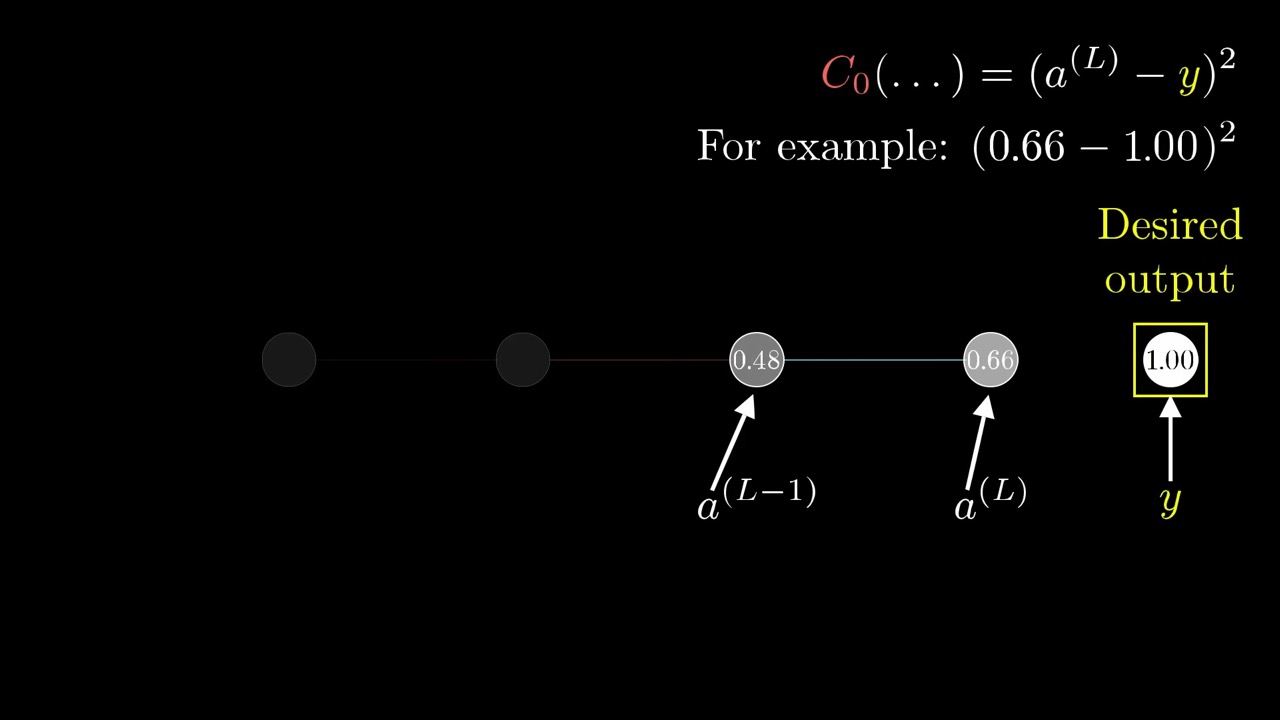
Name the weighted sum z. Then each weight affects the cost through a chain: w → z → a → C
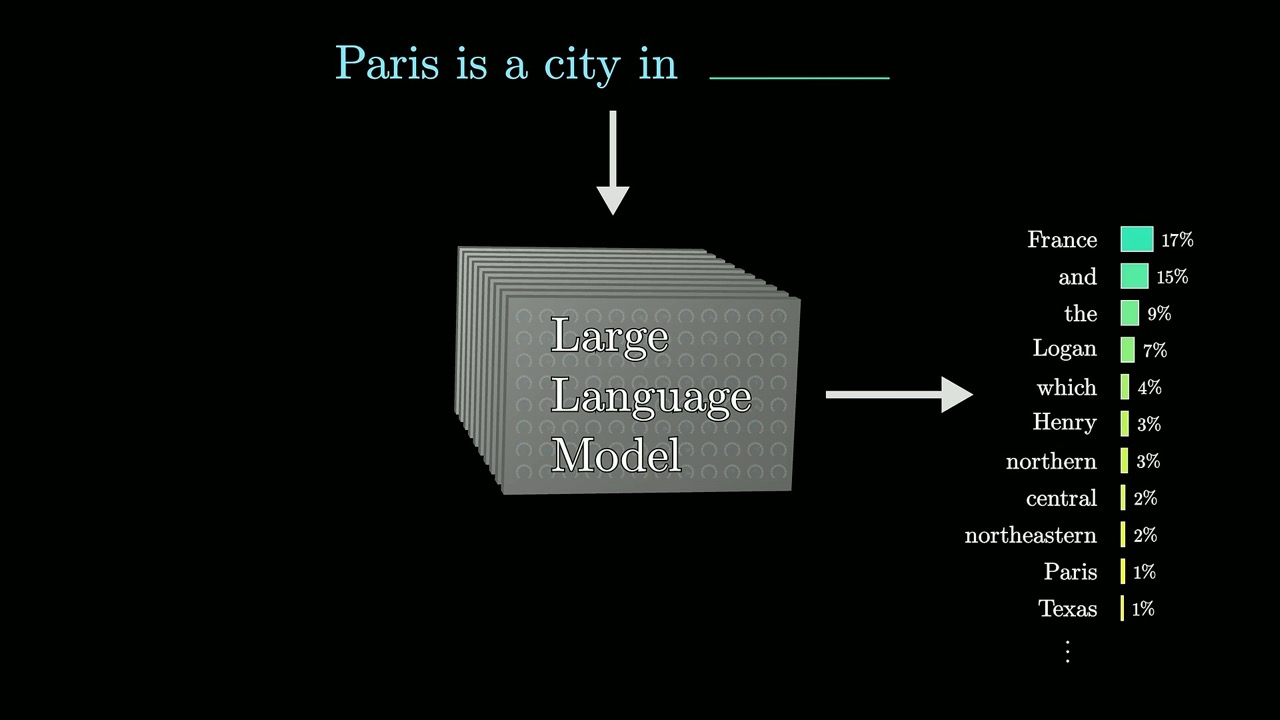
An LLM outputs a probability for every possible next word, not a single word
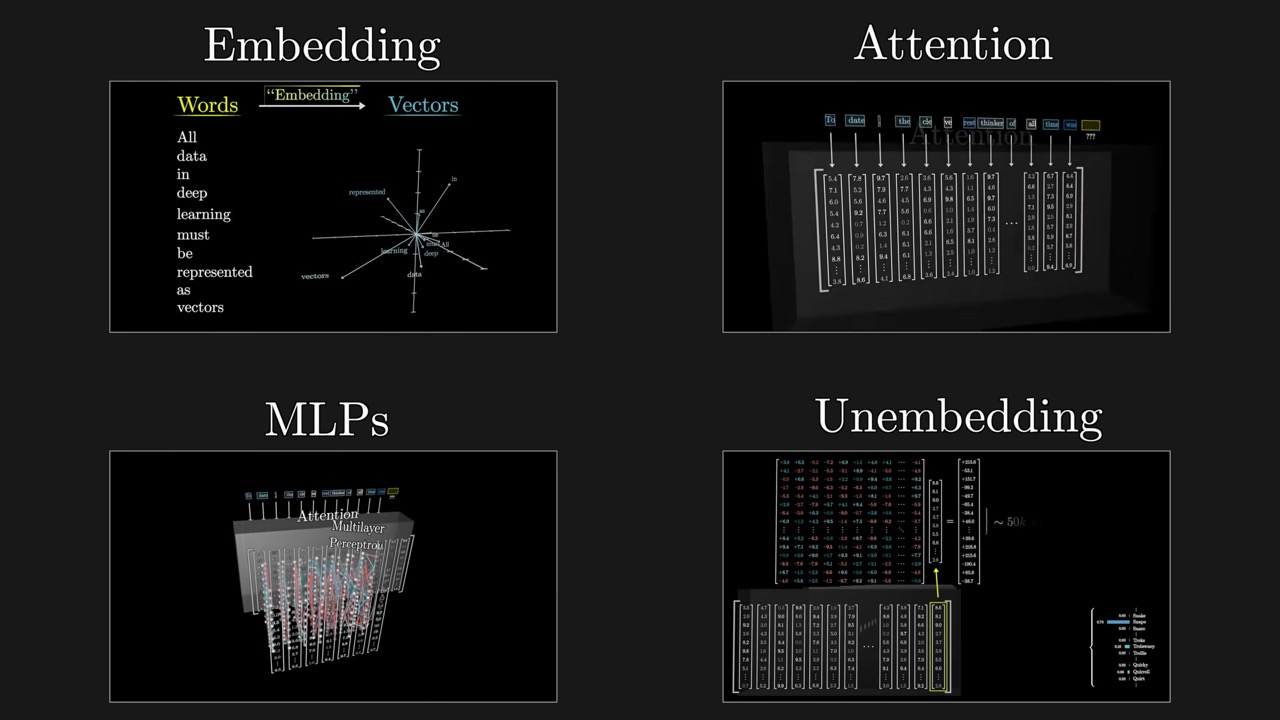
Generation is prediction on a loop. The model outputs a probability distribution over the next token; you sample one, append it, and run again
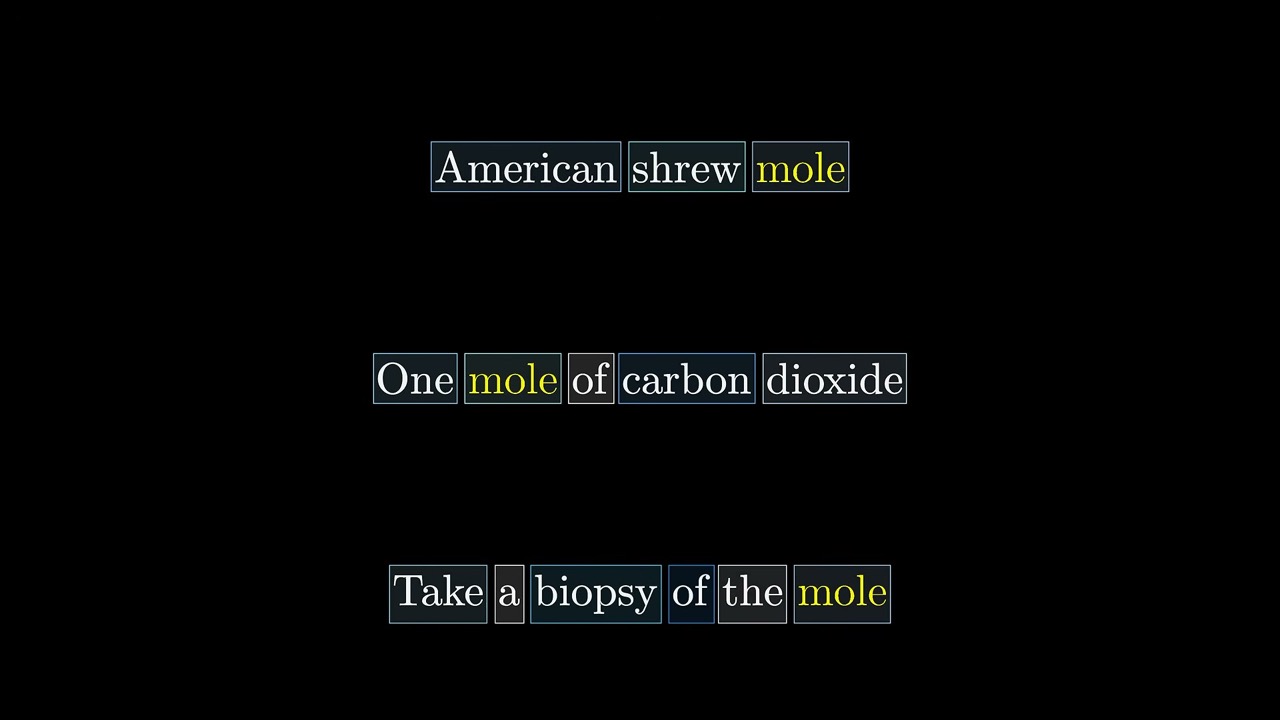
Attention moves context into embeddings. The first embedding of "mole" is the same in every sentence; attention computes what to add so it points toward the right meaning
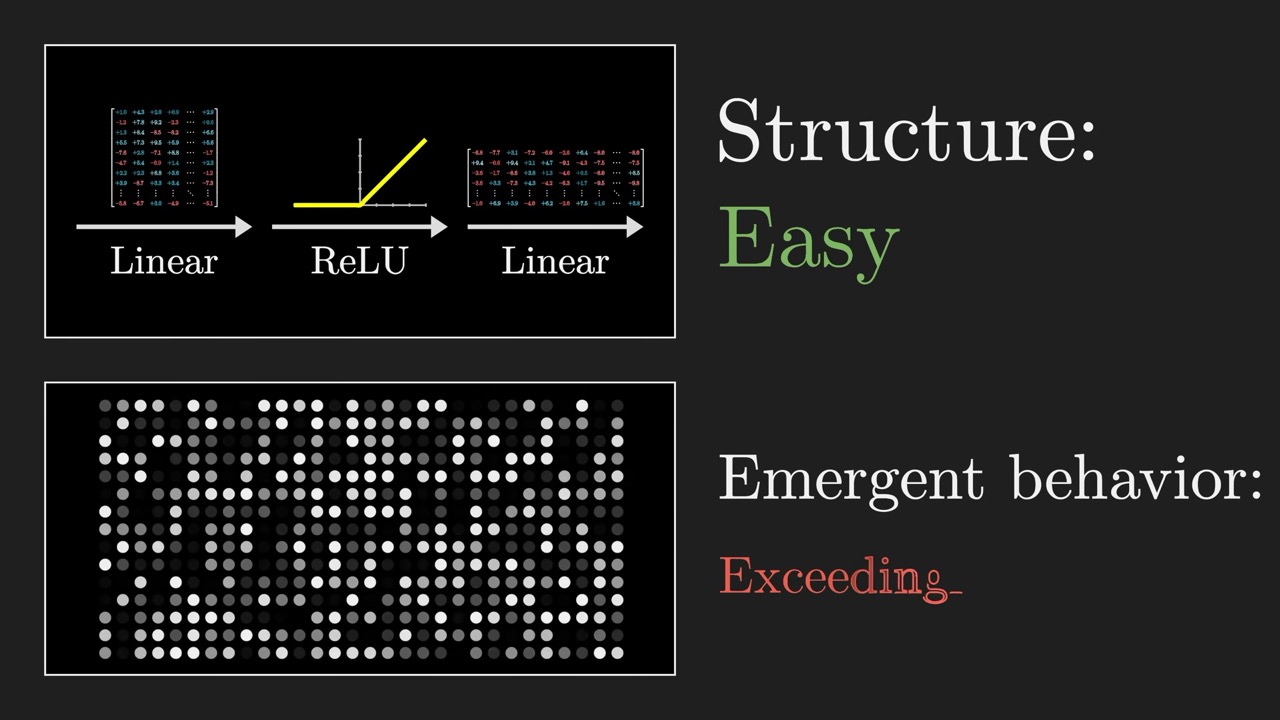
Facts seem to live in the MLP blocks, according to the DeepMind work cited, though the full mechanism is unsolved
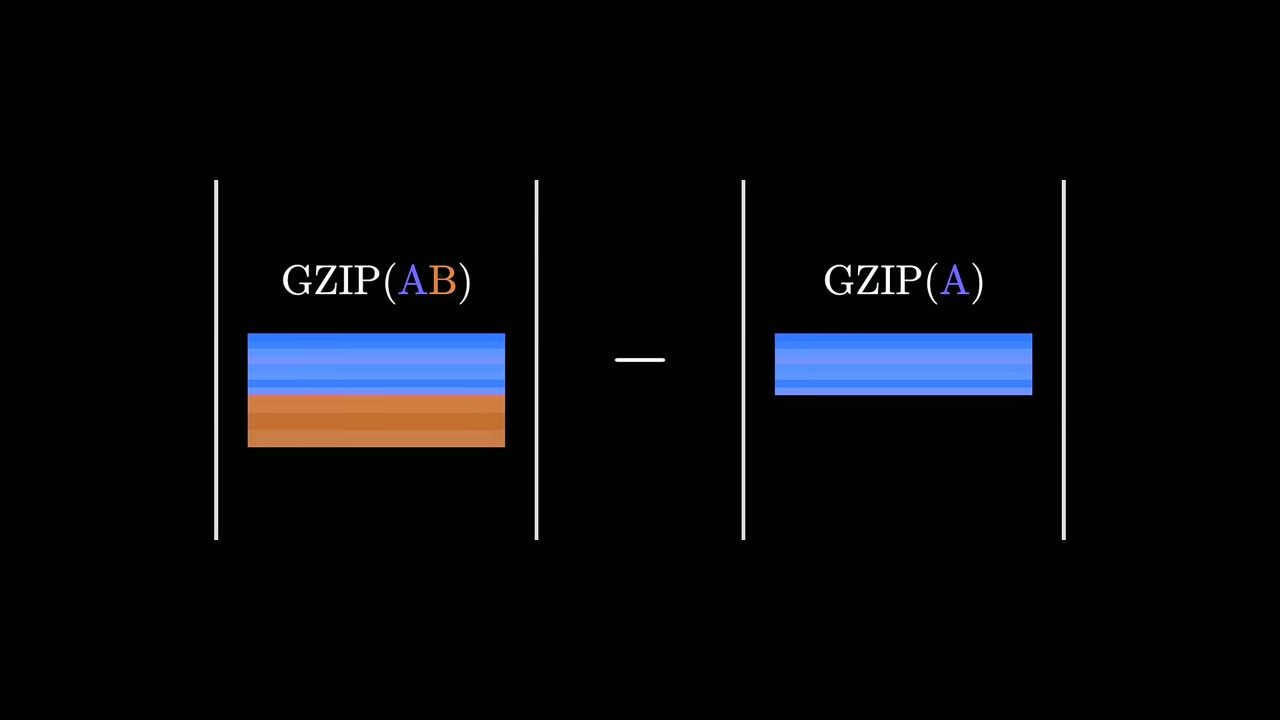
Gzip alone can cluster languages. Compressing document A with a snippet of B appended, versus A alone, measures how different B is from A
Generation starts from random noise. A transformer repeatedly turns a pure-noise video into something realistic; Wan 2.1 uses 50 steps
Watch the video
Watch the original video on YouTube
Neural networks is Grant Sanderson’s playlist on the 3Blue1Brown YouTube channel. It starts with a small network that reads handwritten digits and builds up, through gradient descent and backpropagation, to how transformers and large language models work inside. It is aimed at curious learners, students and engineers who want the ideas visually before (or alongside) the code; no machine learning background is assumed. The videos covered here run to about 3 hours 38 minutes in total.
3Blue1Brown also publishes written lessons for many of its videos on 3blue1brown.com. Our handouts are something different: slide-by-slide revision notes with timestamps that jump back into each video, a few key frames, our own explanations and a skip list. They are meant to be read after or alongside the videos, not instead of them.
The videos
| # | Video | Length | What you learn | Our handout |
|---|---|---|---|---|
| 1 | But what is a neural network? | 18:40 | Neurons, layers, weights, biases and the sigmoid, using a digit-recognition network | Notes |
| 2 | Gradient descent, how neural networks learn | 20:33 | The cost function and how following the negative gradient trains the network | Notes |
| 3 | Backpropagation, intuitively | 12:47 | How one training example nudges every weight and bias, and mini-batch SGD | Notes |
| 4 | Backpropagation calculus | 10:17 | The chain rule behind backpropagation, from one neuron per layer to full layers | Notes |
| 5 | Large Language Models explained briefly | 7:58 | A short overview of LLMs: next-word prediction, pretraining, RLHF and transformers | Notes |
| 6 | Transformers, the tech behind LLMs | 27:14 | The transformer’s data flow, embeddings, unembedding, softmax and temperature | Notes |
| 7 | Attention in transformers, step-by-step | 26:09 | Queries, keys and values, masking, multi-head attention | Notes |
| 8 | How might LLMs store facts | 22:42 | What an MLP block computes, a toy fact-storing circuit, and superposition | Notes |
| 9 | But what is cross-entropy? | 33:51 | Cross-entropy from compression, why LLM loss uses a log, distillation, KL divergence | Notes |
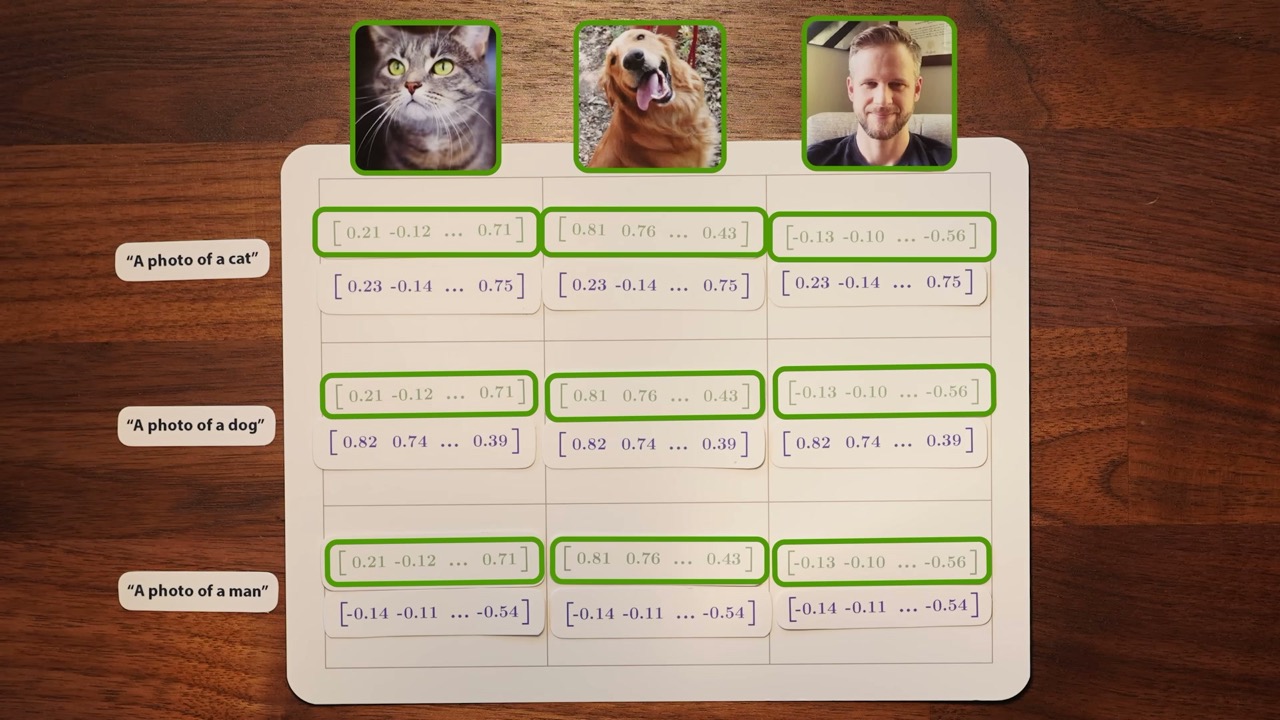
| 10 | But how do AI images and videos actually work? | 37:20 | Guest video by Welch Labs: CLIP, diffusion, DDPM vs DDIM, classifier-free guidance | Notes |
Suggested reading order
- The classic chapters, 1 to 4. They build one complete example, a network that recognises handwritten digits, and explain how it learns. Watch them in order; each one assumes the last. Chapter 4 is the only one that needs calculus, and you can skip it on a first pass without losing the thread.
- LLMs explained briefly. Eight minutes that frame where the course is going. It works as a bridge from digit recognition to language models.
- Transformers, attention, facts (Chapters 5 to 7). These form one unit about the GPT architecture and share a running count of GPT-3’s 175 billion parameters. Chapter 5 says you can watch it without the earlier chapters, but the weights-and-matrices view from Chapters 1 to 3 makes it much easier.
- Cross-entropy, then the guest video. Cross-entropy explains the loss used to pre-train language models, so it answers a question Chapter 7 leaves open. The Welch Labs guest video on image and video generation stands mostly on its own and is the longest in the set; save it for last.
If you only have an hour, watch Chapter 1 and then Chapters 5 and 6 with our notes beside them.
How to use the handouts
Each handout has the same layout: key takeaways with timestamps, chapter notes that follow the video section by section, up to ten key frames with captions that say what to look at, a skip list, and a short glossary. Every timestamp opens the video at that moment, so you can re-watch one argument without scrubbing.
FAQ
In what order should I watch 3Blue1Brown's neural network videos?
Start with the four classic chapters (what a neural network is, gradient descent, backpropagation intuition, backpropagation calculus), then the short LLM overview, then the transformer, attention and fact-storage chapters. Cross-entropy and the guest video on image and video generation make good extras at the end.
Do I need calculus or linear algebra for this course?
Chapters 1 to 3 need only comfort with functions and the idea of a slope. Chapter 4 uses the chain rule, and the transformer chapters lean on matrix-vector multiplication and dot products. Each video recaps what it needs.
How long is the whole 3Blue1Brown neural networks playlist?
The ten videos covered here add up to about 3 hours 38 minutes. The longest is the 37-minute guest video on AI images and video; the shortest is the 8-minute LLM overview.
Studying another course? Paste its YouTube or Bilibili link on the home page to request a handout — or make your own with the desktop app (coming soon).